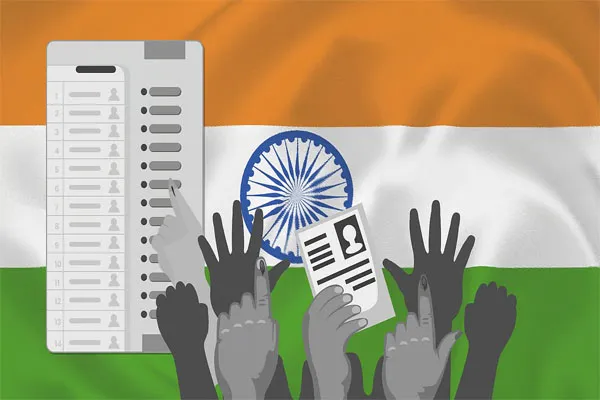
Electronic Voting Machines (EVMs) are designed to make the voting process simple, secure, and fast. Here is a step-by-step guide to help voters understand how to cast their vote using an EVM during elections.
1. Join the Queue
-
Voters reach the polling booth and stand in line.
-
Senior citizens, persons with disabilities, and pregnant women may get priority.
2. Verification of Identity
-
At the first table, the polling officer checks your voter ID (EPIC) or any valid ID proof.
-
Your name is verified in the electoral roll.
3. Ink Marking
-
After verification, the officer marks your left index finger with indelible ink to prevent multiple voting.
4. Receive the Voter Slip
-
You receive a slip with your serial number.
-
This slip is only for reference and must be handed over before entering the voting compartment.
5. Proceed to the EVM Voting Compartment
-
The polling officer activates the EVM control unit.
-
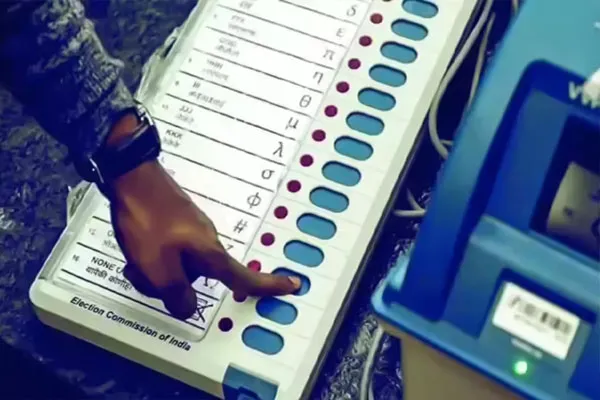
You enter the private voting compartment where the Ballot Unit (EVM) is placed.
6. Choose Your Candidate
-
The EVM contains a list of candidates with:
-
Candidate name
-
Party symbol
-
A blue button next to each name
-
-
Press the blue button next to your preferred candidate.
7. Confirmation Light
-
After pressing the button:
-
A red light glows next to the chosen candidate.
-
The machine makes a beep sound indicating your vote is recorded.
-
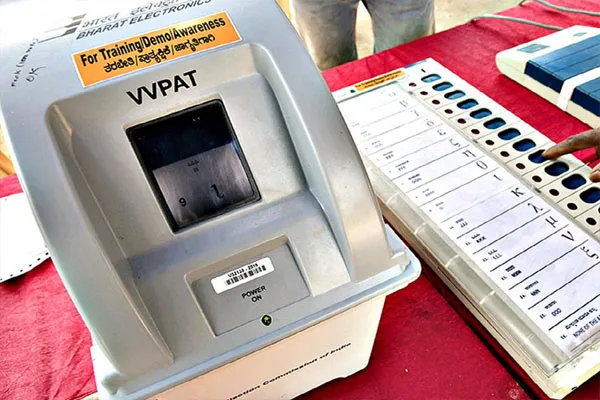
8. If VVPAT is Available
-
The VVPAT screen displays a printed slip showing:
-
Your chosen candidate
-
Party symbol
-
-
The slip is visible for around 7 seconds, then drops into a sealed box automatically.
9. Exit the Polling Booth
-
After your vote is recorded, you can leave the polling station.
-
Do not wait inside or discuss your vote with anyone.
Key Points to Remember
-
Every voter gets only one chance to press a button.
-
If you make a mistake, the vote cannot be changed once recorded.
-
Mobile phones, cameras, and political items are not allowed inside the booth.
-
All voting actions are completely secret and confidential.